Vibing Procreate Color Palette Guide
Creating artwork in Procreate is significantly easier and more enjoyable when you are working with a coordinated or themed color palette. Instead of wasting valuable creative energy hunting for the perfect shade of teal or trying to balance saturation levels manually, you can focus entirely on the art creation process. This is where curated assets like the Vibing Procreate Color Palette become an essential tool in your digital toolkit. By adding these pre-selected colors to your Procreate assets, you streamline your workflow and ensure visual harmony from the very first stroke.
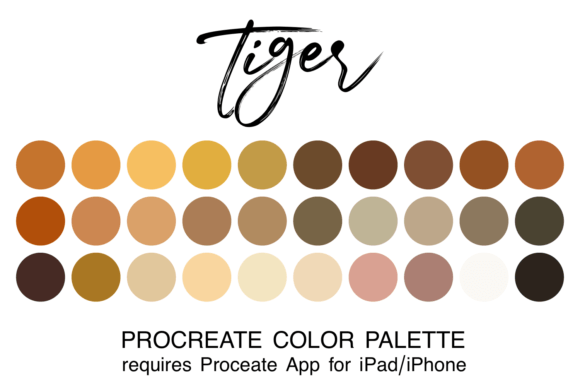
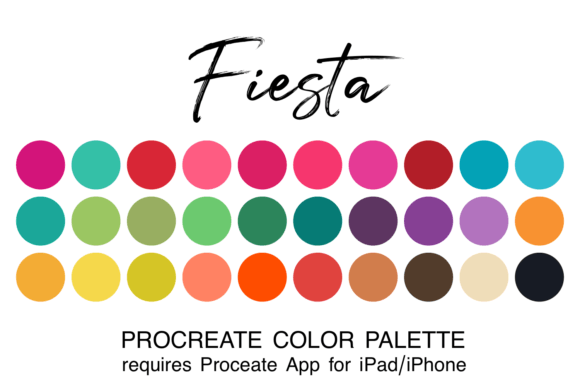
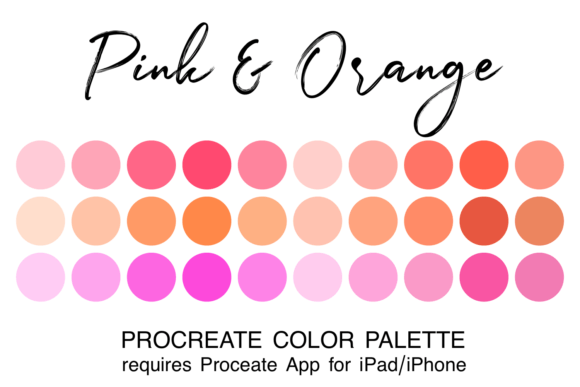
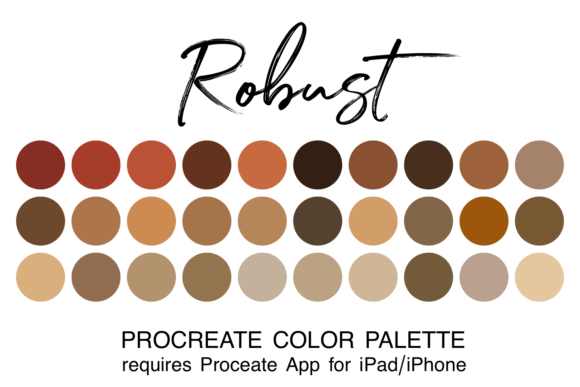
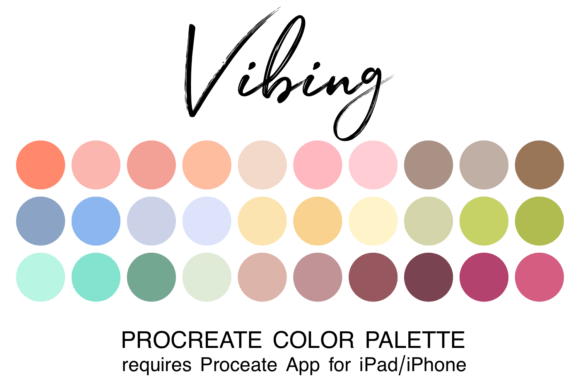
The Vibing Procreate Color Palette is not just a random collection of hues; it is a carefully constructed set of 30 colors designed to work together seamlessly. Delivered as a single “.swatch” file, this resource is specifically engineered for use within the Procreate app on iPad and iPhone. Whether you are illustrating a children’s book, designing social media graphics, or sketching concept art, having a reliable foundation of colors can transform how you approach each project.
Why Curated Palettes Matter for Different Creators
Different users approach digital art with unique priorities. What matters most to a hobbyist might differ vastly from the needs of a professional marketer. Understanding how the Vibing Procreate Color Palette serves various audiences helps you determine if it aligns with your current goals.
For Beginners: Reducing the Learning Curve
If you are new to digital illustration, color theory can feel overwhelming. Deciding which colors complement each other requires knowledge of hue, saturation, and value that takes time to develop. For beginners, the primary benefit of this palette is simplicity. You do not need to worry about clashing colors or muddy mixes. The palette provides a safe sandbox where you can experiment with brush techniques and composition without the added stress of color selection. It allows you to produce polished-looking work early in your learning journey, which can be a significant confidence booster.
For Professionals and Freelancers: Speed and Consistency
Experienced artists and freelancers often work under tight deadlines. For this group, time is money. Searching for the right color code for every element of a design is inefficient. The Vibing Procreate Color Palette offers speed and reliability. By using a pre-vetted set of colors, professionals can maintain consistency across multiple assets or projects. For example, a freelance illustrator working on a series of blog headers can use this palette to ensure all images share a cohesive brand identity, reducing the need for extensive post-production adjustments.
For Entrepreneurs and Small Business Owners
Small business owners who manage their own marketing materials often lack formal design training. They need tools that make their content look professional with minimal effort. This palette supports presentation and branding. By using a harmonious set of colors, entrepreneurs can create eye-catching social media posts, product mockups, or email newsletter graphics that look intentional and high-quality. It removes the guesswork from DIY design, allowing business owners to focus on their message rather than the technicalities of color matching.
Practical Installation and Usage
One of the most appealing aspects of the Vibing Procreate Color Palette is its ease of integration. However, proper installation is key to accessing these benefits. Below is a practical guide to getting started, ensuring you can jump into creating without technical hiccups.
Note for beginners: You must have the Procreate app installed on your iPad or iPhone to use this color swatch file. The file format is specific to the Apple ecosystem and will not work in other drawing applications.
- Download the File: Purchase or download the zipped file containing the palette. Ensure it saves to your iPad’s “Downloads” folder within the Files app.
- Unzip the Archive: Navigate to the Downloads folder in the Files app. Tap on the zipped file to automatically extract its contents. You should see a file with the “.swatch” extension.
- Import to Procreate: Tap on the .swatch filename. Your device should recognize the file type and automatically open Procreate, adding the palette to your library.
- Access Your Colors: Open Procreate and tap the colored dot in the top right corner of the screen. This opens the Color Disc menu. Navigate to the "Palettes" tab, and you will find the new set listed among your existing palettes.
- Set as Default (Optional): If you plan to use these colors frequently, you can set this as your default palette. This ensures that every new canvas you create starts with these 30 colors ready to go, saving you even more time.
Evaluating Flexibility and Creative Potential
While curated palettes provide structure, some creators worry about limitations. Does using a preset palette restrict creativity? On the contrary, constraints often fuel innovation. With 30 distinct colors, the Vibing Procreate Color Palette offers enough variety to create depth, contrast, and mood without the paralysis of infinite choice.
Consider an educator teaching digital art. They might use this palette to demonstrate how light and shadow work within a limited range. By restricting students to these 30 colors, the instructor can highlight fundamental principles of value and form without distractions. Similarly, a hobbyist might use the palette to challenge themselves, creating a full illustration using only three colors from the set to practice mixing and layering techniques.
For marketers and bloggers, the flexibility lies in adaptability. While the palette is themed, the colors are versatile enough to be adjusted slightly for specific campaigns. You can use the base colors as a starting point, tweaking opacity or blending modes to achieve custom effects while maintaining the underlying harmony.
Is This Palette Right for You?
To decide if the Vibing Procreate Color Palette matches your needs, consider your current workflow challenges. If you find yourself spending more time picking colors than drawing, this tool is designed to solve that problem. If you struggle with making your digital art look cohesive, this palette provides an immediate solution.
- Prioritize Ease of Use: Ideal for those who want a plug-and-play solution without complex setup.
- Value Quality and Harmony: Perfect for creators who want their work to look professionally balanced without advanced color theory knowledge.
- Seek Long-Term Usefulness: A good investment for anyone planning to create multiple pieces in a similar style or for personal branding.
Ultimately, the goal of any creative tool is to remove friction between your idea and the final image. By integrating the Vibing Procreate Color Palette into your workflow, you eliminate the hassle of color hunting. You gain the freedom to focus on what truly matters: expression, storytelling, and the joy of creation. Whether you are sketching for fun or designing for a client, having the right colors at your fingertips makes the entire process smoother, faster, and more fun.